
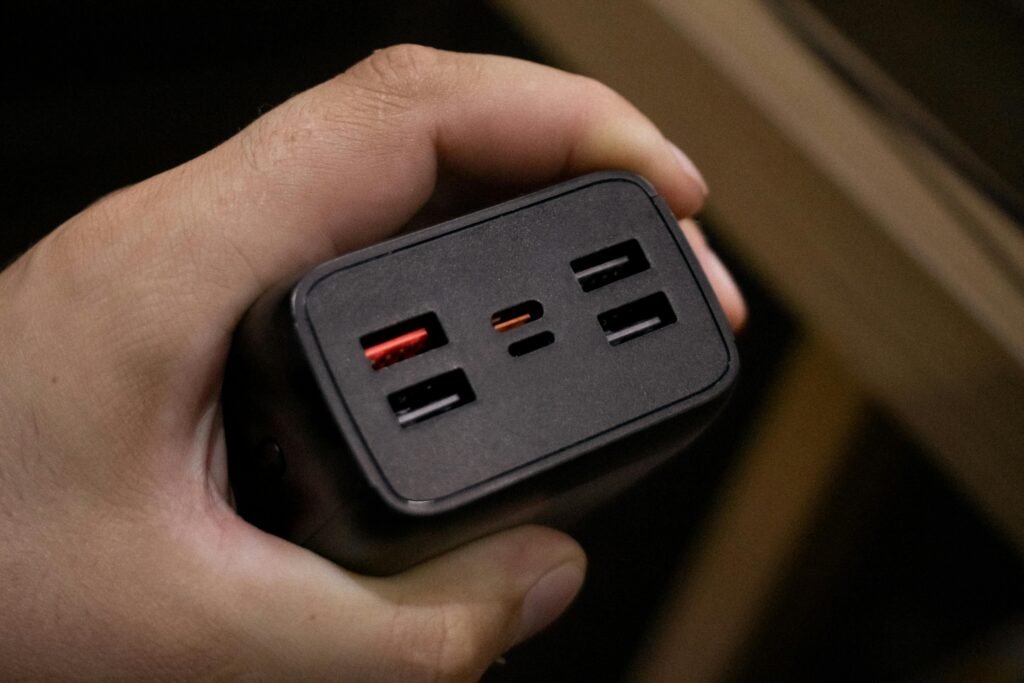
If you’ve ever plugged in a “fast charger” and watched your battery barely move, you’re not imagining it. The problem usually isn’t the charger — it’s that fast charging has a lot of moving parts, and one mismatch anywhere in the chain kills the speed. This guide breaks down what watts, PD, and PPS actually mean, which charger type makes sense for your situation, and what to look for in a cable before you buy.
Quick Comparison
| # | Charger Type | Best For | Link |
|---|---|---|---|
| TOP | 65W GaN Dual-Port (PD/PPS) | Most people — phones, tablets, small laptops | View on Amazon |
| #2 | 20W PD Single-Port | Travel, backup, iPhone users | View on Amazon |
| #3 | 100W GaN Desktop (4-Port) | Desk setup, laptop + multiple devices | View on Amazon |
What Watts Actually Mean
Watts is the number you’ll see plastered on every charger box, and it’s the easiest one to understand: more watts means more power delivered, which generally means faster charging — up to the limit your device supports. A phone that caps at 25W won’t charge faster with a 65W brick. What it will do is charge at full speed without the charger breaking a sweat, which tends to mean less heat and longer cable life over time.
The practical thing to know: match the charger wattage to your biggest device. If you’re only charging a phone, 20–30W is plenty. If you want to top up a laptop too, you need 45W minimum for smaller ones, 65W+ for anything 14 inches and up.
PD vs PPS — What’s the Difference
Power Delivery (PD) is the standard that lets a USB-C charger and a device negotiate how much power to send. Without PD, you’re stuck at whatever the charger outputs by default — often slow. With PD, the charger and device talk to each other and land on the highest safe charging speed. Most modern phones, tablets, and laptops support PD.
Programmable Power Supply (PPS) takes that one step further. Instead of jumping between fixed voltage steps, PPS adjusts continuously to keep temperature low and charging speed high. Samsung’s Super Fast Charging runs on PPS. So does a lot of newer Android hardware. If you have a Samsung Galaxy from the last few years and you’re not using a PPS charger, you’re leaving real charging speed on the table.
For iPhones: PD is all you need. PPS is irrelevant for Apple devices.
1. 65W GaN Dual-Port Charger (PD/PPS)
This is the one that makes the most sense for most people. A 65W GaN charger covers phones, tablets, and most 13-inch laptops from a single brick — and GaN (gallium nitride) technology means it runs cooler and packs into a much smaller form factor than older silicon-based chargers of the same wattage. The dual-port setup gives you a phone and a laptop charging at the same time, though keep in mind output splits when both ports are in use. Most will do something like 45W + 20W when both are active. Check the label before you buy if that matters to your use case.
Pros
- ✓ Covers phones, tablets, and smaller laptops
- ✓ PPS support for Samsung and newer Android
- ✓ GaN = compact size, less heat
- ✓ Two devices at once
Cons
- ✗ Output splits when both ports are active
- ✗ Not enough for larger laptops (15″+ with high-performance chips)
Best for: Anyone who wants one charger to handle their phone and laptop without carrying two bricks.
2. 20W PD Single-Port Charger
Small, cheap, and genuinely fast for phones — this is the travel charger you actually want in your bag. At 20W with PD support, it’ll fast-charge an iPhone at full speed and handle most Android phones at a solid clip. It won’t do anything useful for a laptop, and that’s fine. The whole point is that it fits in a jacket pocket and you forget it’s there until you need it. Look for UL or CE certification on the box — at this price point there’s a lot of junk on Amazon, and a cheap charger with no safety certification is worth skipping.
Pros
- ✓ Ultra-compact — genuine travel size
- ✓ Full-speed PD charging for phones
- ✓ Affordable enough to keep one in every bag
Cons
- ✗ One port only
- ✗ Not suitable for laptops
Best for: Travel, backup use, or iPhone users who just need fast phone charging without the bulk.
3. 100W GaN Desktop Charger (4-Port)
If your desk currently has three separate chargers plugged into a power bar, this is the fix. A 100W desktop GaN charger can run a laptop at full speed on one port while charging a phone and earbuds on the others — all from one block. The trade-off is size: these aren’t small, and they’re not meant to be. This is a desk piece. The other thing to watch is port priority — most 100W chargers reserve the highest output for a single designated port. If you plug your laptop into the wrong one and wonder why it’s charging slowly, that’s why.
Pros
- ✓ One charger for every device on your desk
- ✓ Full laptop charging speed on the primary port
- ✓ GaN keeps heat manageable despite the high wattage
Cons
- ✗ Bulky — not for travel
- ✗ Port priority can trip you up if you don’t read the manual
- ✗ Expensive compared to single-port options
Best for: Home desk setups where you’re tired of juggling multiple chargers.
The Cable Problem Nobody Talks About
A charger is only half the equation. If you’re running 60W or above and your cable isn’t rated for it, you’ll either charge slowly or — in rare cases with really cheap cables — risk heat buildup at the connector. For anything above 60W, you want a cable with an e-marker chip built in. E-marked cables can handle 100W and communicate with the charger to confirm they’re safe to do so. You can’t see the chip — it’s inside the connector — but reputable brands will advertise it. Anker, Baseus, and Apple’s own USB-C cables are safe picks.
For everyday phone charging at 20–45W, a decent braided USB-C cable without an e-marker is fine. The e-marker only matters when you’re pushing higher wattage to a laptop.
Common Mistakes Worth Avoiding
Using an old USB-A to USB-C cable and expecting PD speeds is probably the most common one. The USB-A side physically can’t carry PD negotiation — you’ll charge, just slowly. The fix is a USB-C to USB-C cable with a charger that has a USB-C port.
Assuming every port on a multi-port charger outputs the full rated wattage simultaneously is the other one. It doesn’t. The wattage splits, and the math varies by charger. Read the fine print on the port output before you buy if this matters.
Wrapping Up
For most people, a 65W GaN dual-port charger covers everything — fast enough for phones, capable enough for most laptops, compact enough to travel with. Add a 20W single-port as a dedicated travel/backup brick and you’re set. The 100W desktop option is only worth it if you’ve got a proper desk setup and want to consolidate. Whatever you buy, match the wattage to your biggest device, confirm PPS if you’re on Samsung, and don’t cheap out on the cable when you’re pushing laptop-level wattage.
Disclosure: This post contains affiliate links. As an Amazon Associate, I earn from qualifying purchases at no additional cost to you.