
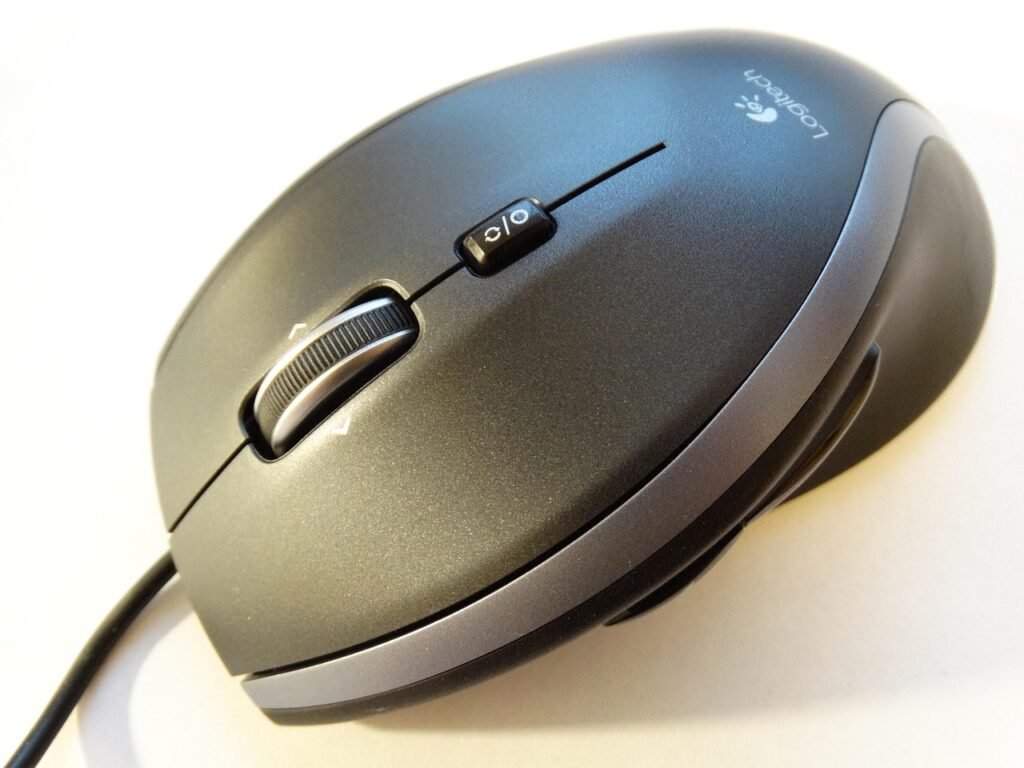
Buying an ergonomic mouse as a gift is one of those ideas that sounds thoughtful but can go sideways fast — mostly because “ergonomic” covers a pretty wide range of designs, and the wrong shape for someone’s hand or work style can feel worse than a regular mouse. So before diving into the picks, it helps to know what you’re actually choosing between.
There are three main ergonomic mouse types: vertical (handshake grip, reduces forearm rotation), palm-rest (wide, low-profile, gentler transition from standard mice), and trackball (the hand stays still entirely — a different category of solution). Each of the five picks below represents a distinct approach, with notes on who each one actually suits.
The Anker vertical is the right pick when you want someone to actually try a vertical mouse without the commitment of a premium price. Most people haven’t used one before, and there’s a genuine adjustment period — about a week where it feels strange before it feels natural. Giving someone a $25 entry point to figure out if the format works for them is more practical than jumping straight to a $100 Logitech.
Functionally, it covers the basics well: wireless via USB receiver, three adjustable DPI settings, comfortable enough grip for average-to-large hands. The scroll wheel feels solid, not flimsy. Battery lasts months on two AAAs. It’s not a flashy gift, but it’s the kind of thing a desk-worker who’s never tried vertical might genuinely thank you for six months later.
Most vertical mice are sized for average-to-large hands — and the Logitech Lift is one of the few that was actually built around smaller hand sizes. That’s a specific and meaningful distinction. If you’re buying for someone with smaller hands who’s complained about wrist or forearm discomfort, this is probably the most targeted gift on this list.
The quiet clicks are genuinely quiet — not “quieter than average” but noticeably soft, which matters if the person works in a shared space or late at night. Battery life is excellent (a single AA lasts well into the months), and it connects via both Bluetooth and Logitech’s USB receiver, so it works with laptops that don’t have a USB-A port. The build quality feels deliberately premium — soft matte finish, no creaky plastic. This one reads as a considered gift, not a random tech purchase.
This is the pick for someone who games but also spends long hours at a desk — and doesn’t want to swap mice between the two. The shape is genuinely ergonomic (palm rest, side grip, sculpted for right-handed use) rather than just marketing, and it’s comfortable during extended sessions in a way a lot of budget gaming mice aren’t.
The RGB lighting is present but tasteful — a subtle underglow rather than the full rave-mode some gaming mice default to. Being wired is a feature here, not a limitation: zero latency, no battery anxiety, plug-and-play. Responsive buttons with adjustable DPI make it capable for fast-paced gaming. For someone who sits at a desk most of the day and also games, this removes the “okay but which mouse do I use right now” problem entirely.
After spending more time than I’d like to admit testing vertical mice, the MX Vertical is where the category peaks for desk work. The 57-degree vertical angle puts your arm in a genuinely neutral position — not just “better than horizontal” but measurably more natural. People who switch to it after chronic wrist or forearm soreness often report the difference within a week.
What justifies the price jump over the Anker or even the Lift: USB-C charging (no batteries), multi-device pairing via Logitech Flow (switch between two computers with one click), and fully customizable buttons through Logitech’s Options+ software. The build quality is in a different tier — solid, weighted, premium without being heavy. This is the gift for someone who works eight-plus hours a day and has mentioned their wrist bothers them. It’s a direct solution to a real problem, which makes it land differently than a generic tech gift.
Trackballs are a fundamentally different solution to the same problem. With a vertical mouse, you’re still moving your hand — just at a better angle. With a trackball, your hand stays completely still on the mouse body and you roll the ball with your thumb to move the cursor. For people with chronic shoulder or arm pain from repetitive mouse movements, this eliminates the movement entirely.
The Nulea M501 is a good entry point into the category: USB-C rechargeable (no disposable batteries), wireless, and the thumb ball placement is intuitive for first-timers. There’s a real skill curve for about a week — precise cursor movements feel foreign until your thumb learns the sensitivity. But people who commit to it tend to stick with it long-term. Bonus: it barely moves on the desk, so it works fine on small surfaces where sliding a regular mouse is awkward. Worth noting this is the most “different” gift on the list — it’s the one to buy if you know the person is specifically dealing with repetitive strain and is open to trying something new.
Which One to Buy
Disclosure: This post contains affiliate links. As an Amazon Associate, I earn from qualifying purchases at no additional cost to you.