
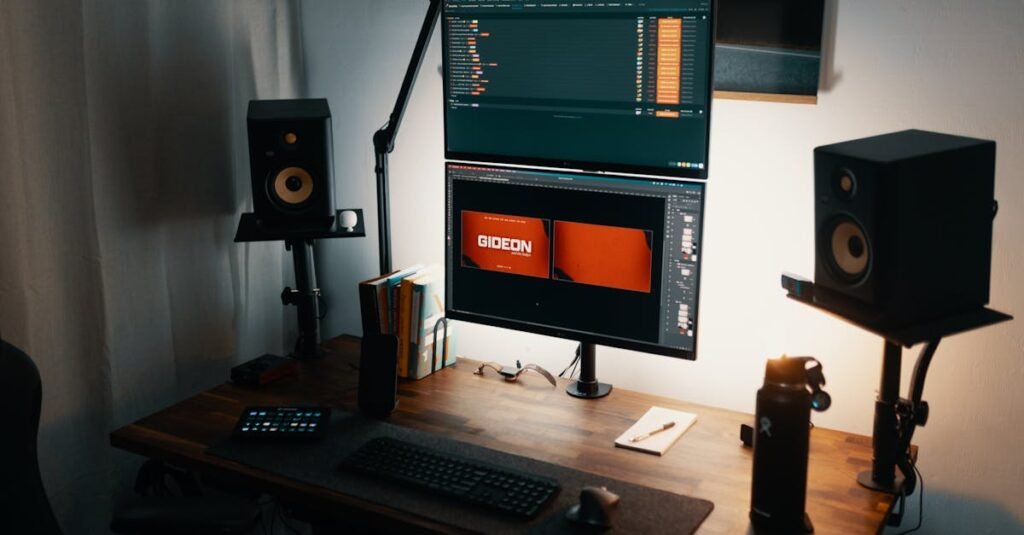
After spending more time than I’d like to admit staring at my laptop speakers during video calls, I finally caved and got a real desk speaker. The difference was immediate — and kind of embarrassing, honestly. Not just for music. Voices on calls sounded like actual humans instead of people talking through a paper bag.
The home office speaker category looks simple but splits into pretty distinct tiers based on what you actually need from your desk audio. Below I’ve broken it down by use case — from flexible and portable all the way up to proper hi-fi bookshelf speakers — so you can skip straight to the section that matches your setup.
Take It Anywhere — Wireless & No Desk Space Required
If your “home office” changes rooms, or you work from a kitchen counter some days and a proper desk others, a portable Bluetooth speaker is the move. You’re not going to get stereo separation or room-filling sound, but for focused listening — a podcast, a playlist, a casual video call — it punches well above what a laptop can do.
The Anker Soundcore 2 is the go-to here. 12W of output means it genuinely fills a small to medium room, music and podcasts both come through clearly, and the battery lasts long enough that you’ll probably forget to charge it for days. The cord-free setup keeps your desk clean, and the portability means it earns its keep outside of office hours too — kitchen, porch, wherever. It’s a single speaker unit, so no left-right stereo spread, but for most people working from home that’s not a meaningful trade-off.
View on Amazon →Plug-and-Play Stereo — Clear Sound, Zero Fuss
For most home offices, a straightforward wired stereo pair is all you need. Plug into the headphone jack or USB, place them on either side of your monitor, done. You get actual left-right separation — which matters more than people expect once you’ve had it — without any Bluetooth setup, apps, or pairing steps.
Two solid options depending on how much you care about sound quality. The Amazon Basics Stereo 2.0 Speakers are the pure budget play — plug-in-and-forget simplicity, clear enough for calls and background music, small footprint. Don’t expect depth or warmth, but they won’t embarrass you on a video call either. A step up: the Logitech Z150, which has been around long enough to have a track record. Balanced, reliable sound with a front-facing headphone jack and volume knob that you’ll reach for more than you think. Either way, wired means no battery anxiety and no latency — which matters if you do voice or video work.
One Bar, Fuller Sound — For Calls, Webinars & Occasional Movies
A soundbar on a desk is an underrated setup. It sits flat below your monitor, takes up less lateral space than a speaker pair, and the bass reflex design gives voices noticeably more body — which makes a real difference if you’re on calls for a chunk of the day.
The Sony S100F 2.0ch Soundbar fits this role well. It’s compact enough for a home office desk without dominating it, and the audio is a noticeable step up from basic stereo speakers — fuller mids, more depth in music, voices that don’t sound thin. Setup is two cables. It’s wired only, but for a desk speaker that’s not sitting six feet away from you, Bluetooth matters less. If your desk sees a mix of calls, background music, and the occasional lunch-break YouTube session, this handles all three well without demanding a lot of space.
View on Amazon →When Audio Quality Actually Matters to You
I’ve made the mistake of dismissing bookshelf speakers as overkill for a home office. They’re not. If you spend eight-plus hours a day at a desk and music is part of how you focus, a proper pair of powered speakers is a meaningful quality-of-life upgrade — the kind you notice every single day.
The Edifier R1280T Powered Bookshelf Speakers are the entry point that doesn’t feel like a compromise. The sound is warm and full — real bass that doesn’t require a subwoofer, mids that make acoustic music and vocals genuinely enjoyable, highs that don’t fatigue over long sessions. The wood finish looks deliberately nice on a desk rather than like an afterthought. Side-panel controls for volume, bass, and treble let you tune to your room without software. Two RCA inputs plus AUX means switching between your computer, a turntable, or a phone is straightforward. They’re larger than everything else on this list and wired only — but if you can accept those trade-offs, they outperform their price point significantly.
View on Amazon →Which One to Actually Buy
One thing worth knowing before buying: most home office speakers connect via 3.5mm AUX or RCA. If your computer or monitor only has USB-C outputs, you’ll need a small USB-C to 3.5mm adapter — they’re a few dollars and usually solve the connection issue entirely. Worth checking your ports before the speakers arrive.
Disclosure: This post contains affiliate links. As an Amazon Associate, I earn from qualifying purchases at no additional cost to you.